Dawn
Morning
Midday
Afternoon
Night
The calm home dashboard

Your whole family,
from sunrise to sunset

Chores, calendars, and meals in one living screen.

Watch a day unfold
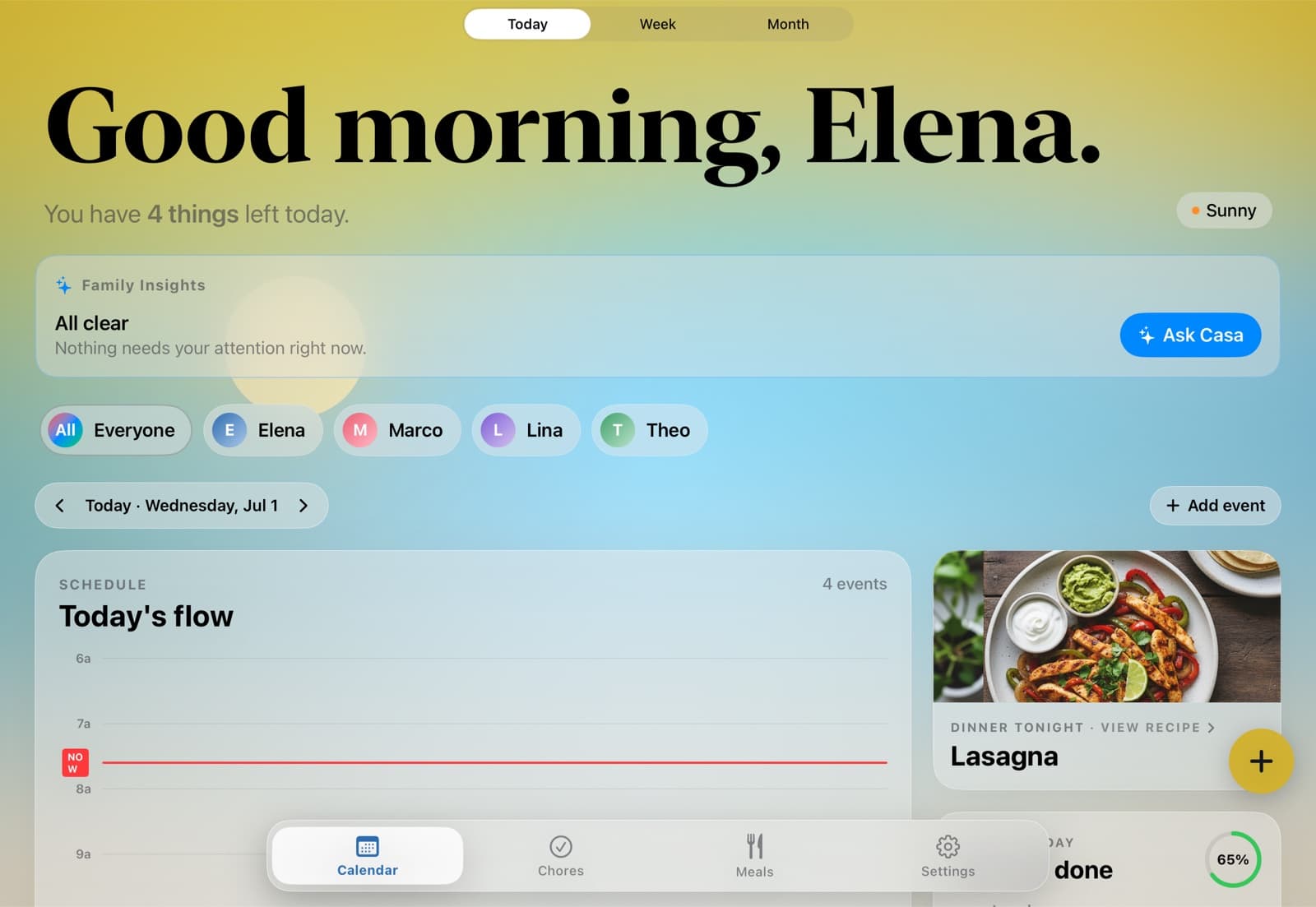
HomeHQ on the kitchen iPad — today’s schedule, chores, and tonight’s dinner
7:30 AMMorning

Wake up to the whole day, already sorted.

The moment the kitchen iPad lights up, everyone sees what’s ahead — school runs, who has practice, what’s for dinner. No huddle around a paper calendar.

HomeHQ dashboard on a kitchen iPad in the morning — the day’s schedule, chores, and tonight’s dinner
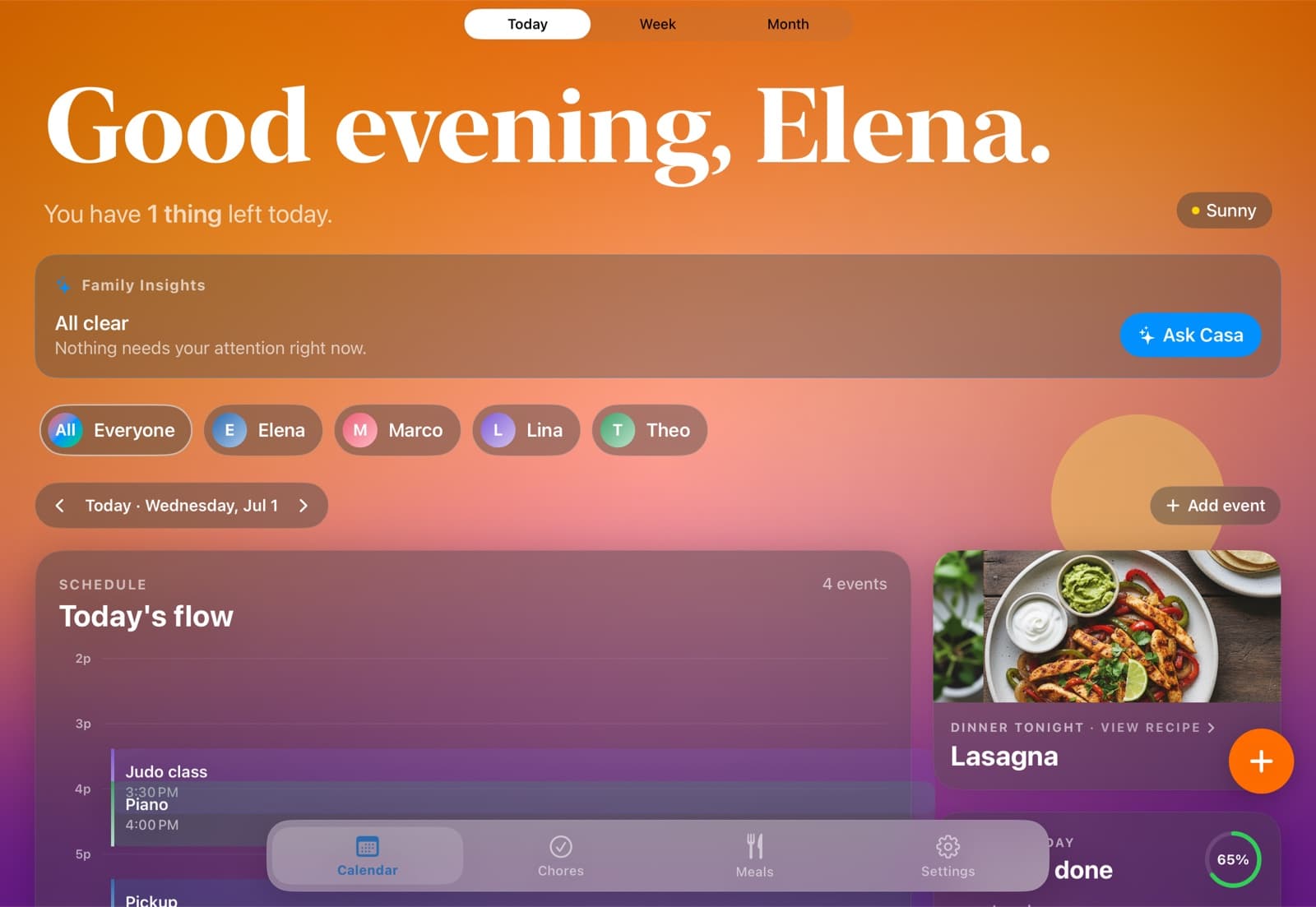
6:50 PMEvening

Dinner’s decided. Chores are checked.

Tonight’s meal was planned on the weekend and the groceries are on one list. The kids tick off their chores; the points roll up to the weekly recap.

HomeHQ dashboard on a kitchen iPad in the evening — dinner decided and the day’s chores checked off
Everything in one place

The household, gently organized.

Shared family calendar

Today, Week, and Month at a glance — color-coded per person.

Chores that run themselves

Rotation, due times, streaks, and a weekly leaderboard.

Meals & groceries

Plan the week’s dinners; the shopping list builds itself.

A heads-up before the week tips over

Family Insights flags a double-booked day or an overloaded kid — parents only.

A view for every member

Each kid sees their own schedule and chores, not your work calendar.

The kitchen display

An old iPad becomes an always-on screen — with a sky that matches the time of day.

How it works

Five minutes to set up. Calm from day one.

01

Connect your Google Calendar

Two-way sync in a couple of taps — keep the calendar you already use.

02

Add your family

Everyone gets a color and an avatar. Kids see only what’s theirs.

03

Prop an iPad on the counter

An old iPad becomes the calm screen the whole house checks.

Pricing

One plan. Your whole family.

$12/month
billed annually
Save $36 a year
Your whole household
Unlimited calendars & lists
iPad & iPhone apps + kitchen display mode
Keeps the Google Calendar you already use in sync
Chores, weekly meal plans & a weekly recap
Snap a school flyer — events add themselves
30-day free trial
Questions

Frequently asked.

No. Any iPad you already own becomes the kitchen screen — there’s no $300–$700 device to buy.

Yes — HomeHQ runs on your Google Calendar with two-way sync, so a change shows up everywhere, including Google Calendar itself.

Only if you want. Each person has their own view, and kids see just their own schedule and chores.

HomeHQ is on iPhone and iPad today, with a native Android app coming soon — leave your email and we’ll send the link the day it ships.

$12/month billed annually (or $14.99 monthly) for your whole household, with a 30-day free trial.

Resources

Guides, essays, and tools for a calmer home.

See all resources

End every day knowing tomorrow’s handled.

30 days free, then $12/month for your whole household — on the iPad in your kitchen and every iPhone. Android coming soon.